Track attendance automatically, assign tasks, and stay connected with your domestic workers — at one home or several, all from one simple app.
🎁 First month free · Cancel anytime
Who is it for?
Gcina Indlu works for employers who want visibility and workers who want simplicity — without anyone feeling watched.
Getting started
No complicated setup. No hardware. Just download the app and share a link.
Download the app and add your home — or homes — by setting each location in a few taps.
Add each worker, choose where they work, and share their personal invite link. They download the app and tap one button to connect.
Attendance, tasks and notes sync between both phones. You see updates in real time.
Features
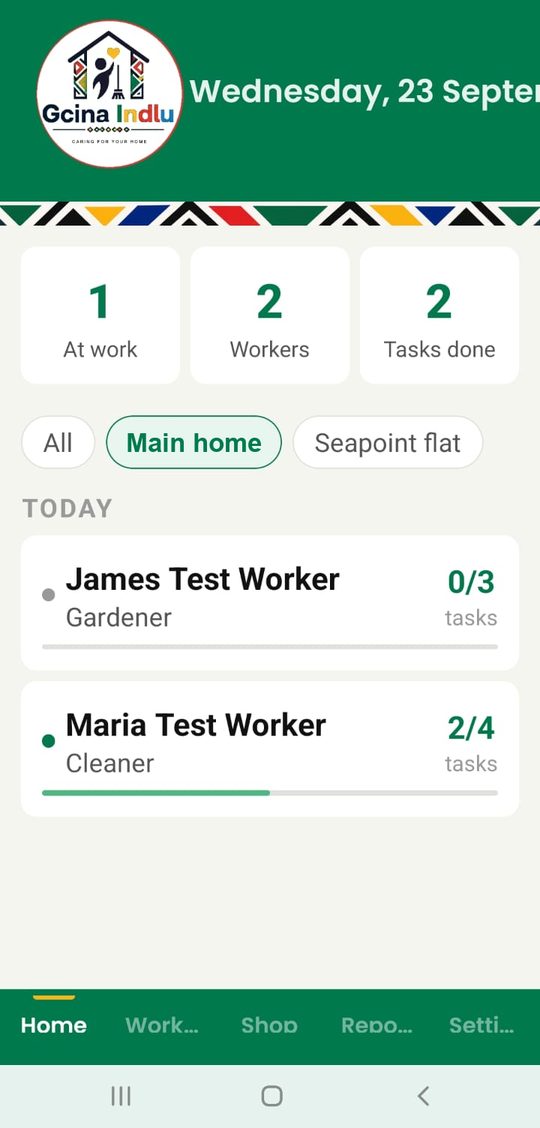
Run more than one property from one app and set workers' schedules and tasks — every property, one app.
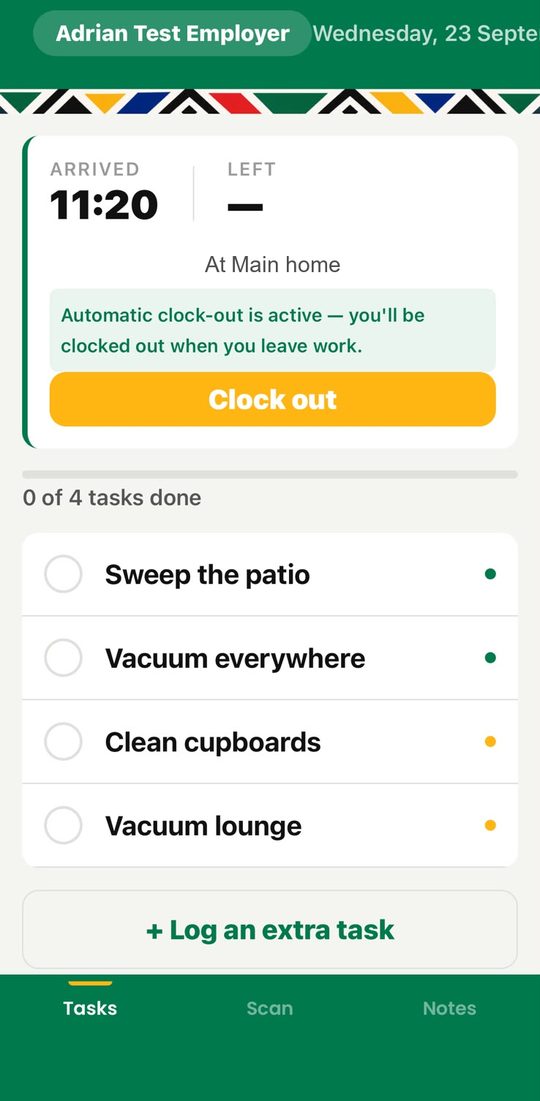
Clock-in and clock-out happen automatically, in the background, when your worker arrives and leaves — nothing for either of you to remember.
Assign daily, weekly, fortnightly or monthly tasks, and choose the date each one starts. See exactly what's been done today.
Watch how it works →See the whole week at a glance, Monday to Sunday: every task for every worker and location, or filter to one. Workers can follow their week and tick tasks off, and you can tap a task to change it.
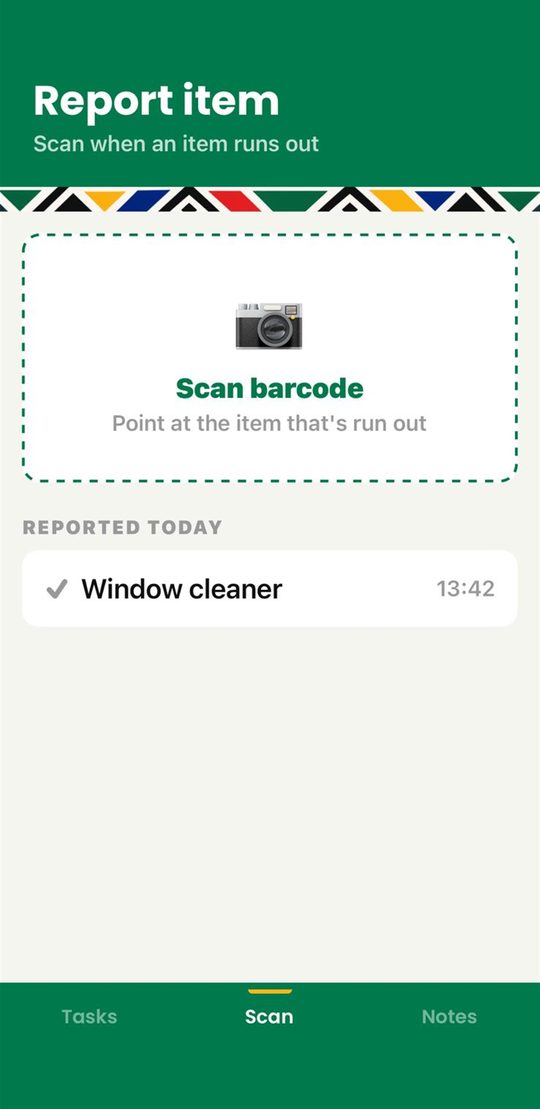
How the weekly view works →Workers flag low supplies by scanning a barcode and saying how many to buy. A new item can have a photo too. You see the alert instantly, with the location it came from.
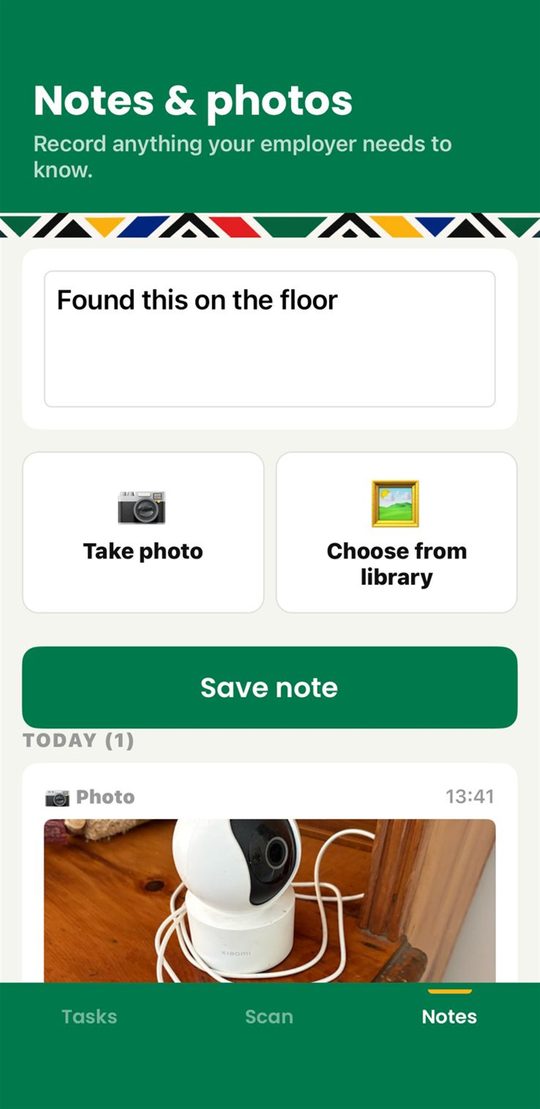
Watch how it works →Workers log issues or observations with photos. Every note shows where and when it was written, and you can see when it has been read.
Everything is stored on-device first. Gcina syncs when a connection is available — no data, no problem.
Each worker gets their own personal invite link. No account sign-up needed on their side.
Clock-in methods
Choose the method that works for your home. Each worker can have a different setting.
Fully automatic, even when the app is in the background. The worker is clocked in and out when their phone enters or leaves your property. No action needed from either side.
The worker is clocked in automatically when they open the app while connected to your home network.
The worker taps the clock-in button themselves. Use for live-in workers or if automatic methods aren't available.
See it in action
Watch how Gcina Indlu keeps all your homes and workers in one place.


Pricing
Start free for a month. Workers never pay — only the employer subscribes.
Includes
Includes
🔒 Payment is handled securely by the App Store or Google Play and charged to your Apple ID or Google Play account. Subscriptions renew monthly, and you can cancel any time in your store's subscription settings.
Questions
No. The app only uses GPS to notice when your worker arrives at or leaves your home. That location is worked out on their phone and is never sent to our servers or to you. All that's stored is the arrival and departure time.
Add them in the app, choose their clock-in method and tap Share Invite Link. Send it by WhatsApp, SMS or email. They tap the link, download the app and are connected. There is no account, password or email address for them to deal with.
Geofence suits most workers, because nothing needs to be remembered. It needs location permission on their phone, so if a worker prefers not to allow that, use Home Wi-Fi (they're clocked in when they open the app on your network) or Manual. Manual also suits live-in workers. You can set a different method for each worker.
Yes. A worker can accept invite links from several employers and switch between them in the app. When they arrive at an employer's home, Gcina can switch to that employer's view automatically.
Gcina keeps working. Tasks, clock-ins and notes are saved on the phone and sync by themselves once there is a connection. If your worker can use your home Wi-Fi, they never need mobile data for Gcina.
Only you and the workers you've connected can see your household's information. It is stored on secure servers (hosted by Railway) and sent over HTTPS, and a copy is kept on each phone so the app works offline. We never sell it or use it for advertising. Read the full Privacy Policy.
Cancel your subscription in your App Store or Google Play subscription settings; you keep access until the end of the period you've paid for. To delete your data, go to Settings → Delete account in the app, which permanently removes your household, workers, history and photos. To remove just one worker, open their profile and tap Remove worker.
Our values
Gcina Indlu treats domestic workers as the skilled professionals they are, while giving employers the visibility and peace of mind they need.